PVsyst Software, Simulation & Reports: A Designer’s Guide (Part 1)
PVsyst Software Guide for Solar Designers
PVsyst plays a vital role in modern solar plant design. It helps engineers analyse system performance, estimate energy yield, and improve project accuracy. Therefore, understanding how it works is essential for solar designers. This guide explains its features, design processes, reports, and practical value clearly and simply.
What is PVsyst?
It is a solar simulation software widely used in the renewable energy sector. Therefore, engineers use it to design solar power plants optimally and estimate energy yield. Additionally, it is a powerful tool that gives a quick analysis of the system and shows if any enhancements can be made.
Why PVsyst?
It performs several essential tasks, such as:
It precisely evaluates various PV module configurations and identifies the most efficient arrangement. It provides an overview of the type and quantity of modules and inverters required. The software supports cost estimation and profit calculation. It projects long-term power generation, helping users assess project benefits.
HOW IS DESIGNING DONE PVSYST?
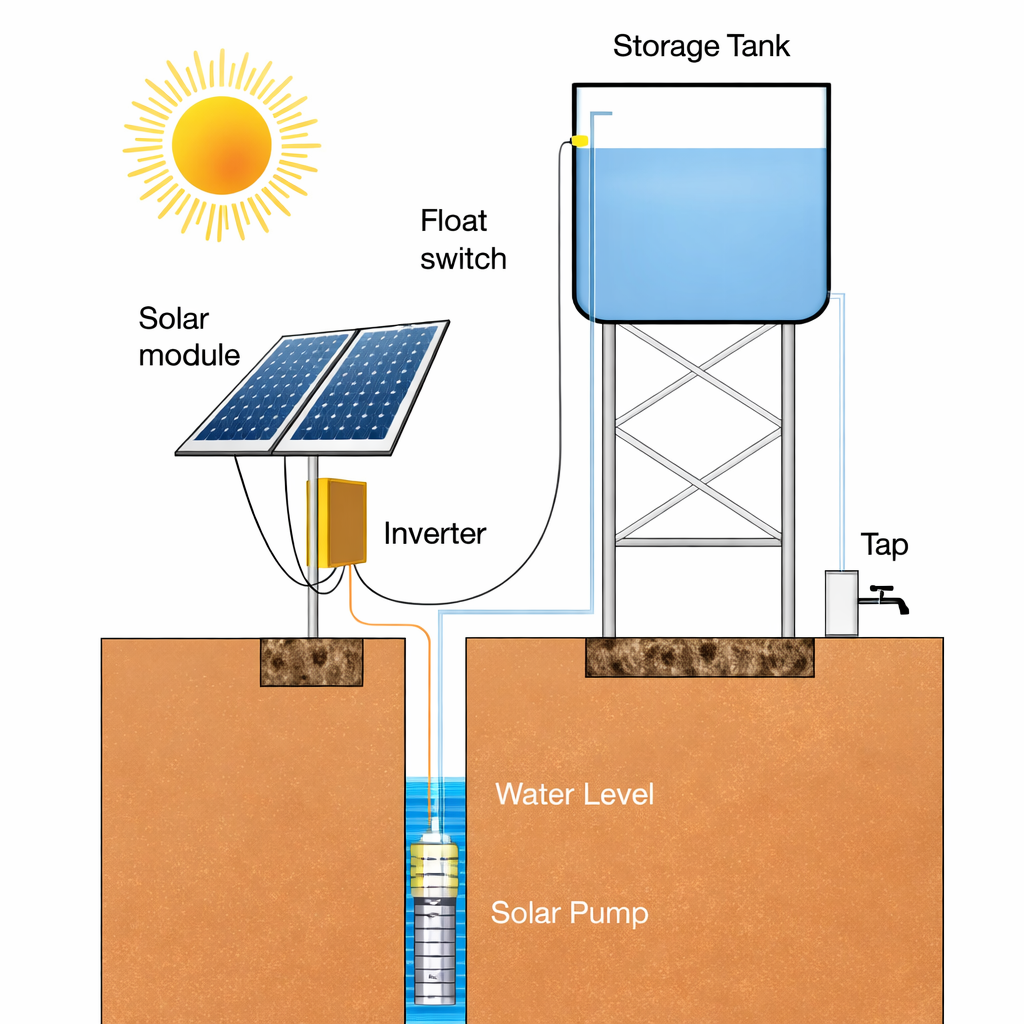
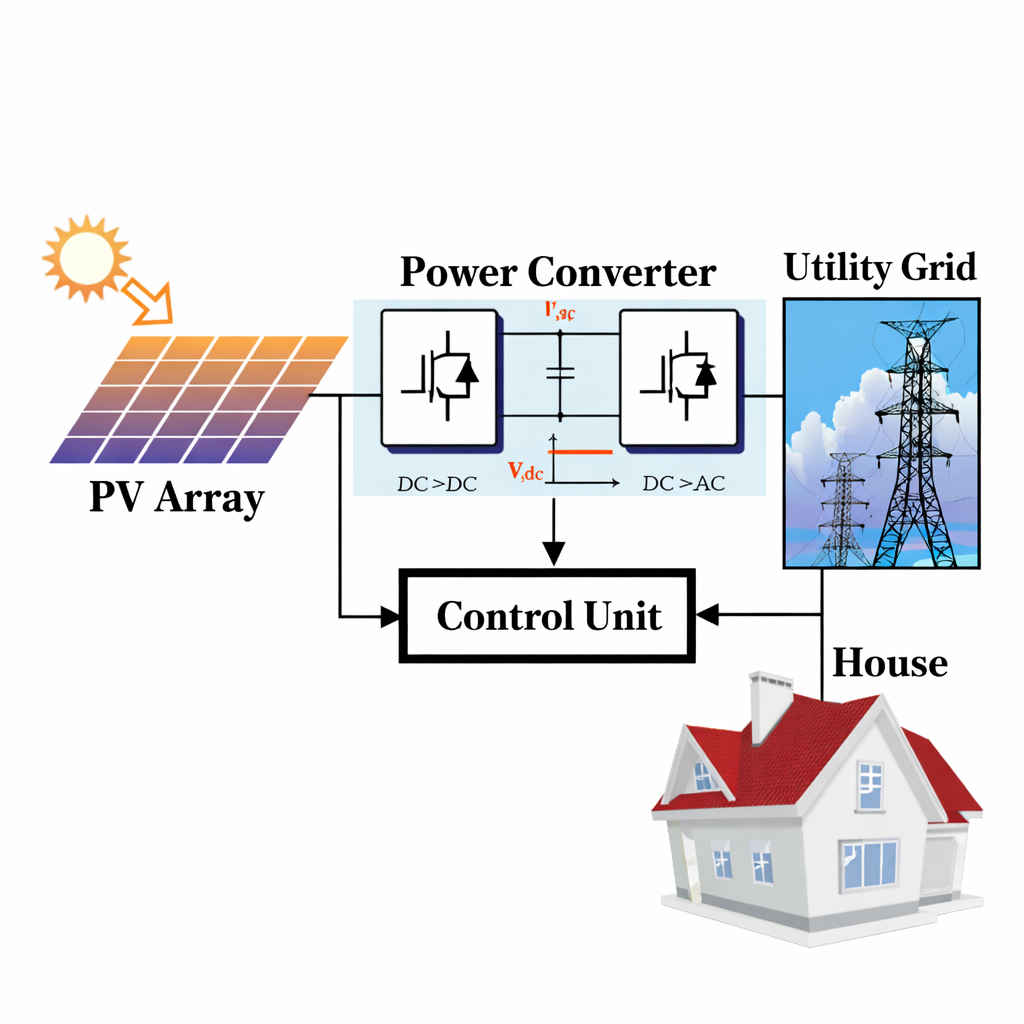
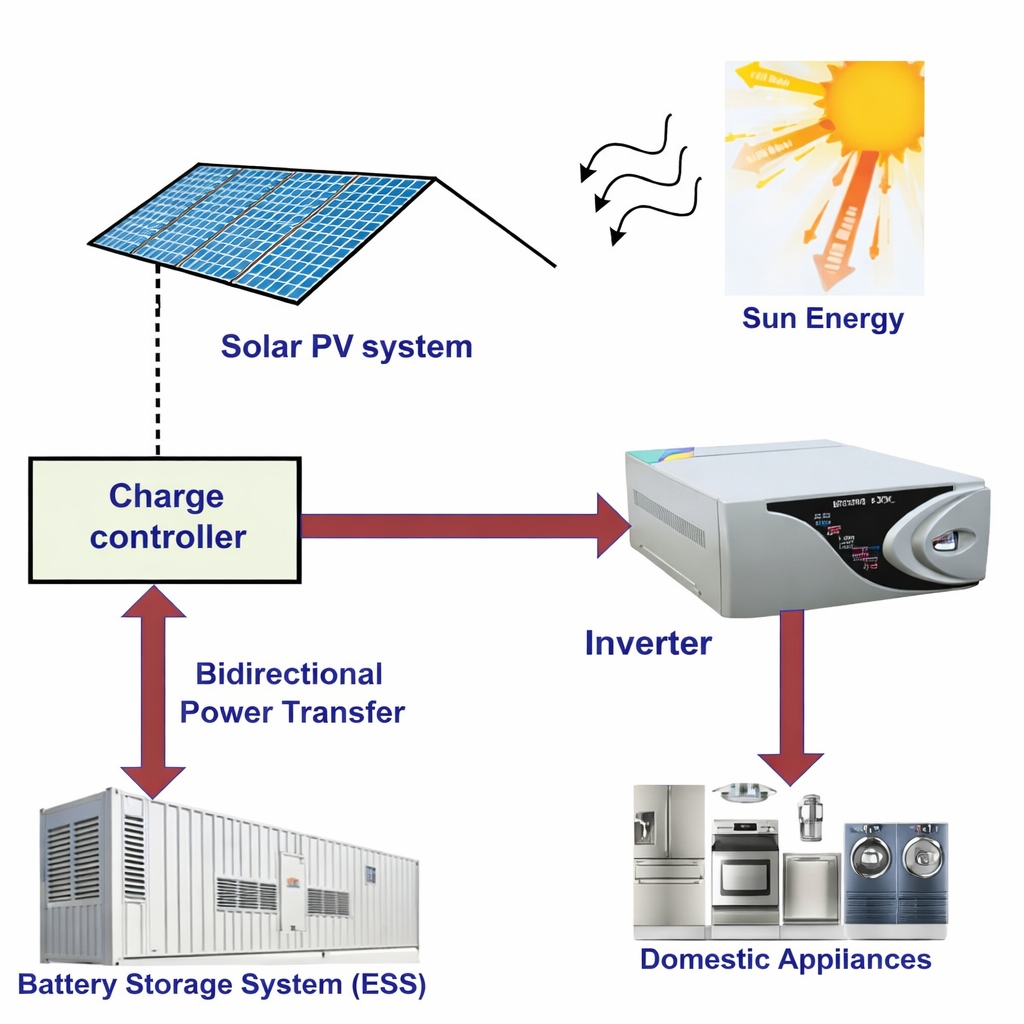
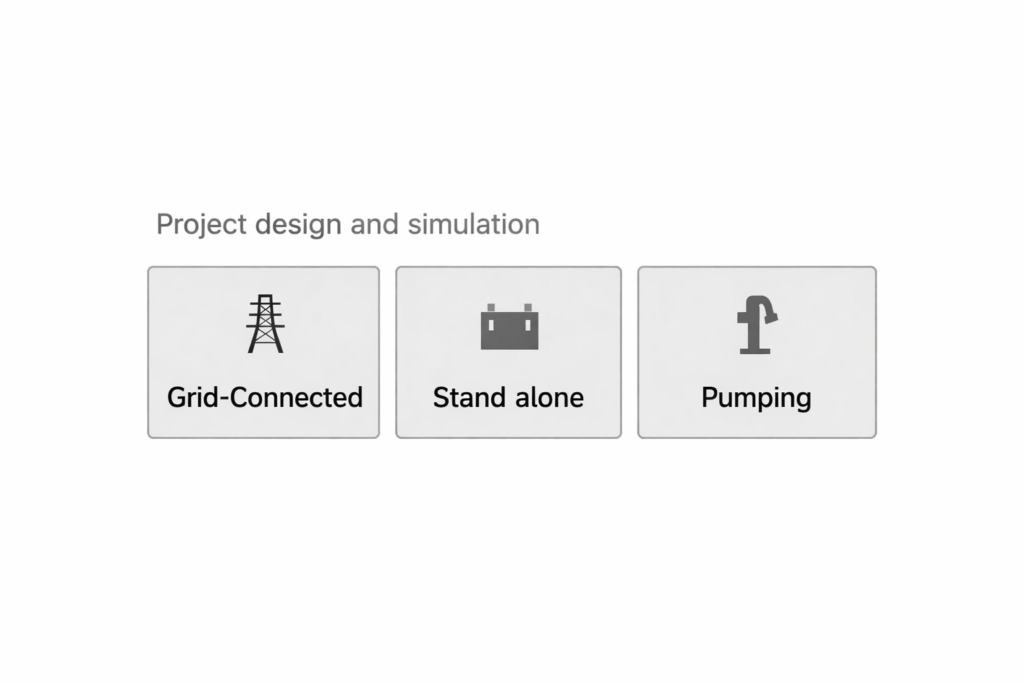
It supports the design of three kinds of systems: standalone, grid-connected, and pumping systems.
Pumping System
Designers start a solar pumping project by defining water demand and site conditions. They calculate flow rate, total head, and pipe losses to size the system correctly. Moreover, they analyse solar availability to predict daily output. The pv syst tool simulates hydraulic performance accurately. Therefore, designers optimise pump selection, energy use, and water delivery for efficient real-world operation.
Grid-Connected
Designers plan a grid-connected system by analysing load patterns and utility requirements. They select module layout, size the inverter, and check export limits. In addition, they evaluate shading and system efficiency. The pv syst platform models performance with grid interaction clearly. Consequently, designers maximise energy production and ensure smooth, stable integration with the power network.
Standalone System
Designers create a standalone system by calculating daily consumption and required backup time. They size battery capacity and define system autonomy for reliable supply. Furthermore, they select components that maintain continuous power without grid support. The pv syst software simulates storage behaviour and system losses precisely. As a result, designers achieve dependable off-grid performance and balanced energy management.
PVsyst Options for System Design
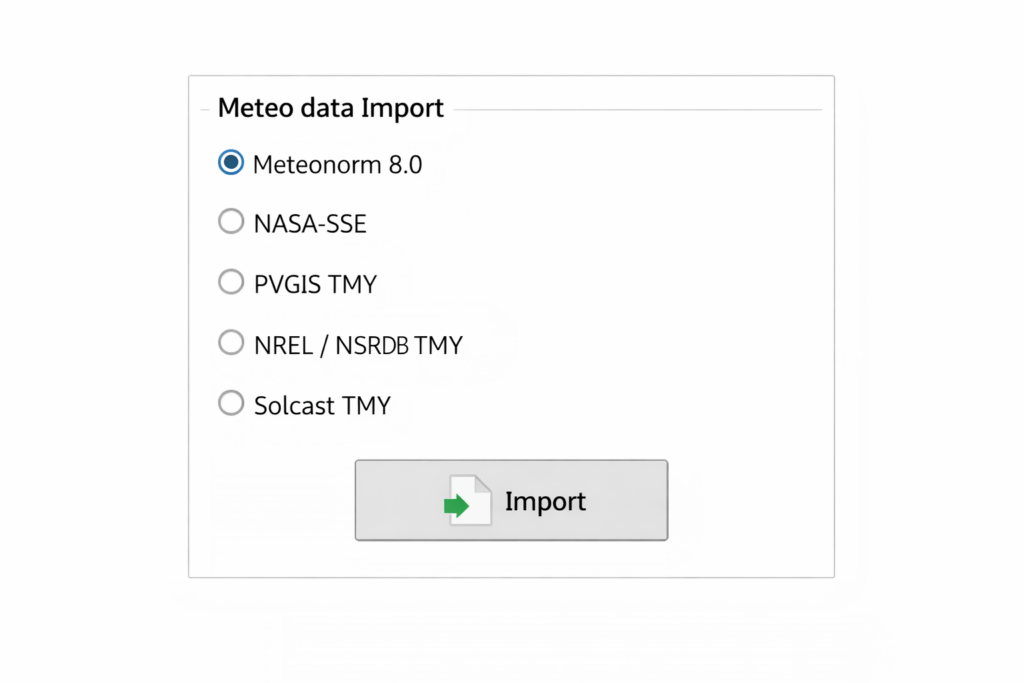
PVsyst gathers monthly meteorological (meteo) data, including irradiation data, from different sources such as Meteonorm, NASA, PVGIS, NREL, and Solcast after obtaining the location details.
Meteo Data Import Options in PVsyst
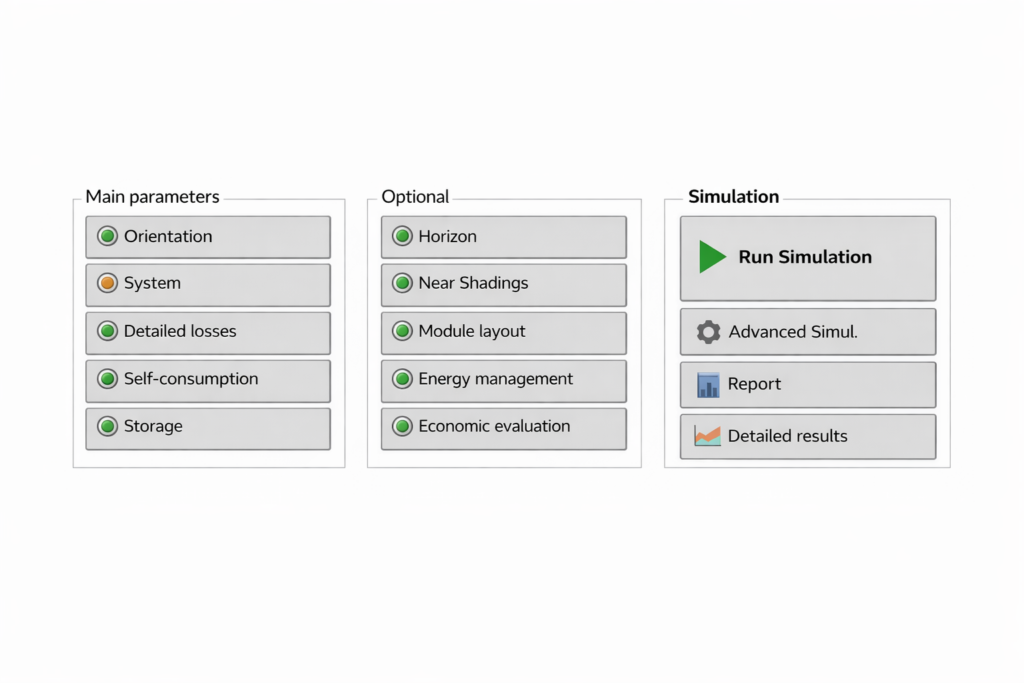
By giving the basic input details like location, plane orientation, near-shadings, type of inverter, PV module, and their mounting structure. Therefore, the system can analyze various simulation variables such as losses, specific generations, and performance ratios.
Input And Output Details in PVsyst
All About PVsyst Report
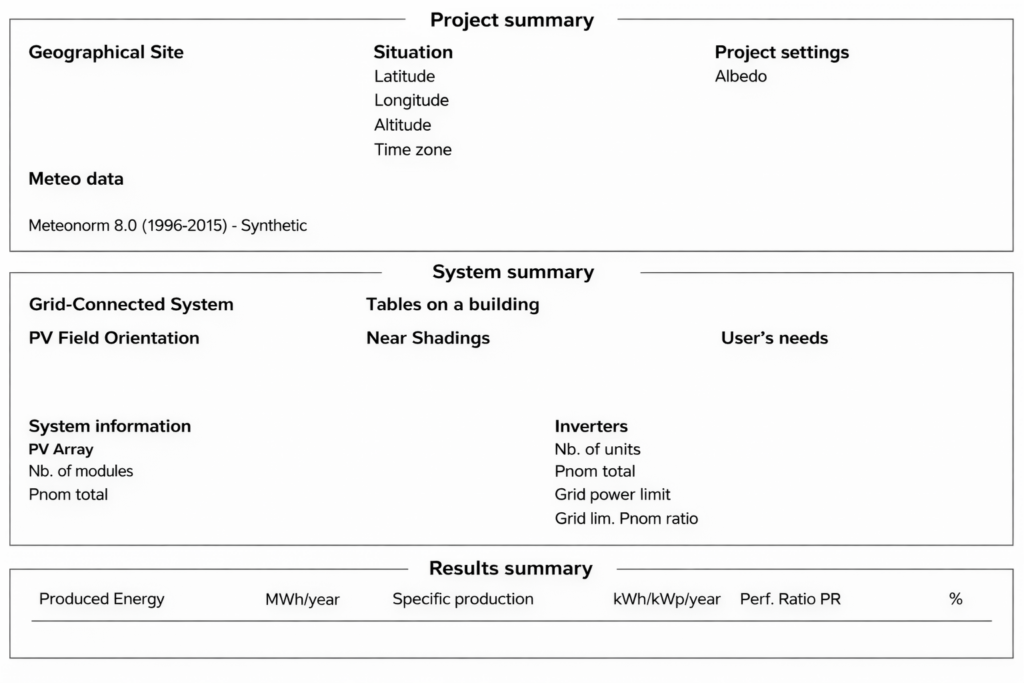
PVsyst generates a report containing a project summary, system summary, and result summary on the first page.
PVsyst First Page Contents
Further report includes all the input data, i.e., general parameters, PV Characteristics, Array losses, and the simulated information along with the irradiation data in it.
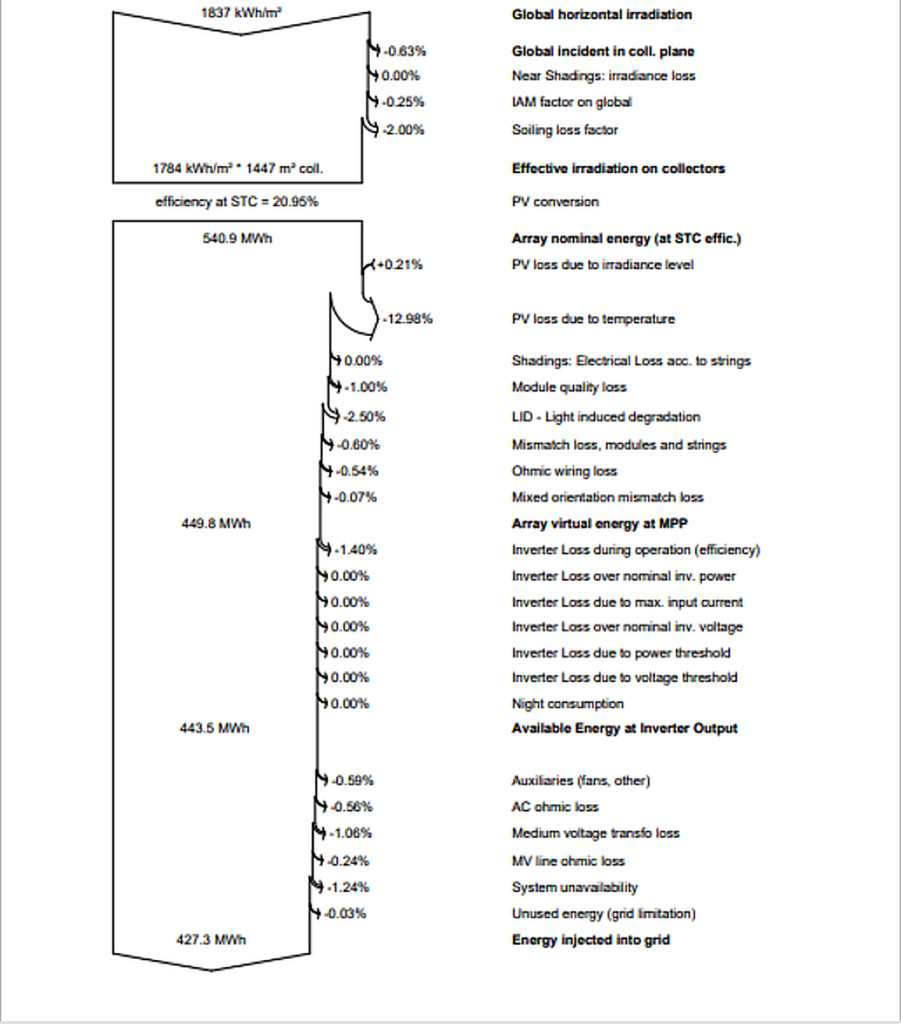
The loss diagram plays a key role in identifying faults or imperfections in the system, if any. The diagram below shows a sample loss analysis.
Loss Diagram in PVsyst
Key Results in The PVsyst Report
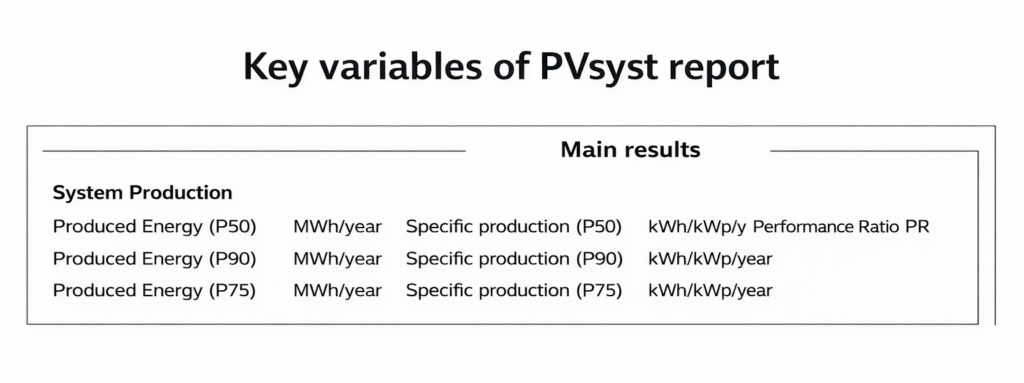
The main results include:
Annual energy production (MWh/year)
Specific production (kWh/kWp/year)
Performance ratio
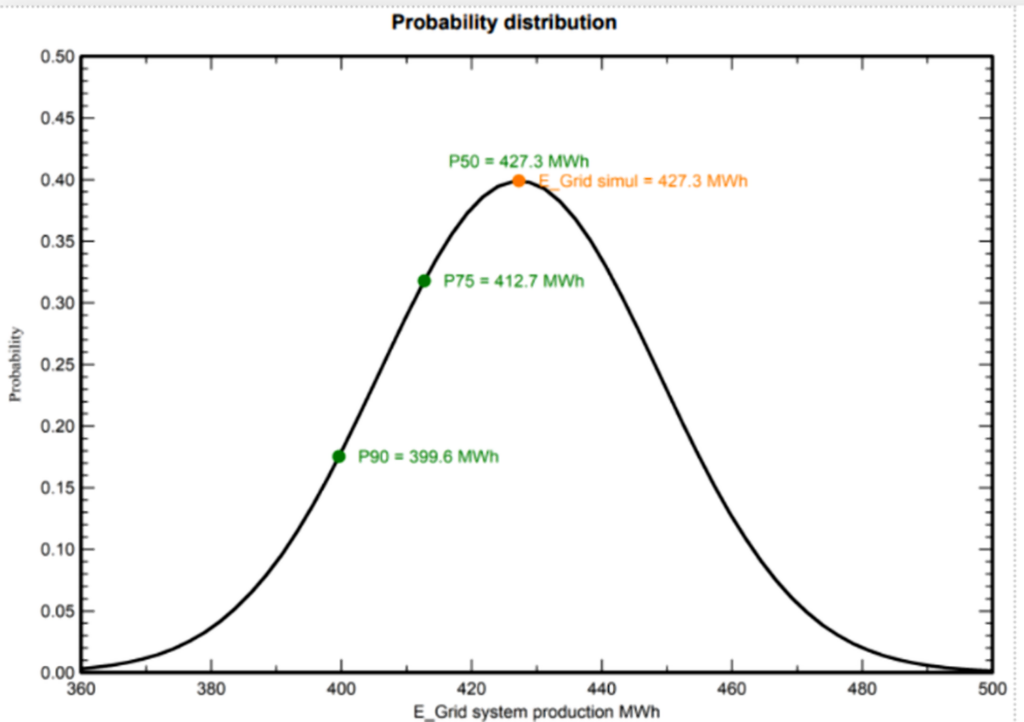
The report also contains P50-P90 evaluations, which use probability-based analysis to estimate annualenergy generation. Hence, it helps the user to guarantee the amount of generation to a client. For example, P50 represents the value that the system will exceed 50% of the time.
Probability-Based Evaluation Sample
Limitations And Practical Value
System parameters and near-shading conditions must be well aligned to minimize design mismatches. Although PVsyst has certain limitations, such as limited support for bifacial east-west orientation and detailed yearly generation data, these are relatively minor.
The advantages of PVsyst far outweigh these limitations.
PVsyst plays an essential role in solar project design and management. It supports technical evaluation, financial planning, and decision-making. Furthermore, it is often the first step in project development and plays a major role in determining project costs and return on investment.
Therefore, learning PVsyst is essential for professionals in the solar industry.
In Part 2, we break down meteorological data in detail — continue reading to strengthen your PV system solar design knowledge.